Annotations & tags
There are two ways to mark up an artifact, and they do different jobs: you can annotate what it says — leaving notes on the rendered content that go back to the agent — and you can label its versions with named tags. The first is how you ask for a change; the second is how you pin the one that mattered.
Annotating the rendered artifact
Open an artifact in the viewer and you're not limited to reading it. You can mark up its elements in place — highlight the stale number, question a claim — and attach a note to each. When you're done, the whole batch of notes is sent back to the agent as a single annotation message, and the agent revises from them. It closes the loop: you review the rendered output where it's easiest to see what's wrong, and your notes reach the agent as structured feedback rather than a paragraph describing what to fix.
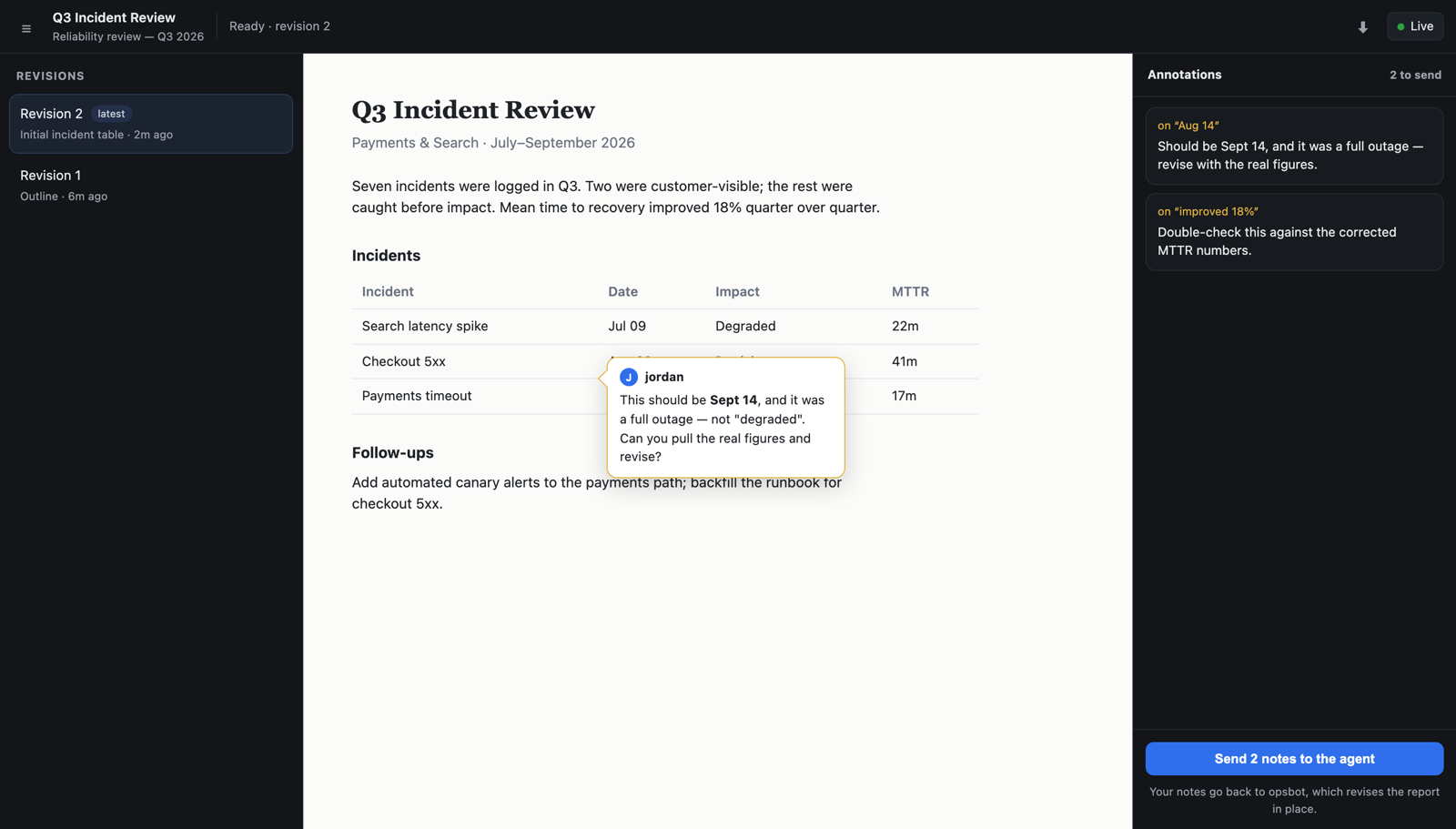
The notes are authorized like everything else: the request rides a view reference the server mints from the artifact's own identity and re-checks — the viewer never gets to assert which artifact it's annotating — so only someone allowed to see the artifact can annotate it, and an annotation can't be redirected onto a different one.
Names, descriptions, and tags
The other kind of markup is metadata on the artifact itself. Every artifact has a name and description, and every revision records a short change note — read down the history and you get a changelog for free.
A tag is a named pointer to a particular revision — approved, published, v2 —
so you can refer to a meaningful version by name instead of a sequence number. One tag is reserved: latest
always follows the newest revision, while a tag like approved stays put on the exact bytes someone signed off
on until you deliberately move it. An artifact can also be marked internal — used by the agent as part of
its work but not surfaced to the user.