Slack
Slack is OAP's richest surface — and the one most of these docs are shown through. An agent bound to a Slack channel is reached the way a teammate is: you @-mention it, the conversation is a real thread, and the approvals it needs render in the thread, next to the work.
Provisioning the app
oap channel create --kind slack runs a wizard that handles the Slack side for you. It can create the app
for you — generating the app manifest from your agent's capabilities, creating it, and installing it — or
just hand you that manifest to apply yourself if you'd rather; either way it captures the two tokens OAP needs
and picks exactly the scopes your agent's features require, instead of you hand-copying them between two
consoles. It connects over Socket Mode, so no public inbound URL is required. What comes out is a
Channel resource binding one AgentClass to one Slack channel.
Threads, mentions, and who may drive
A session is a thread. Mention the agent and it opens one; reply in that thread and the conversation continues in the same session. Who is allowed to drive or approve isn't "whoever can type" — it's an authorization question, so a bystander posting in the thread is gated, and the person who approves a risky step is derived from the session, not from whoever sent the last message.
Summoning the bot into an existing thread
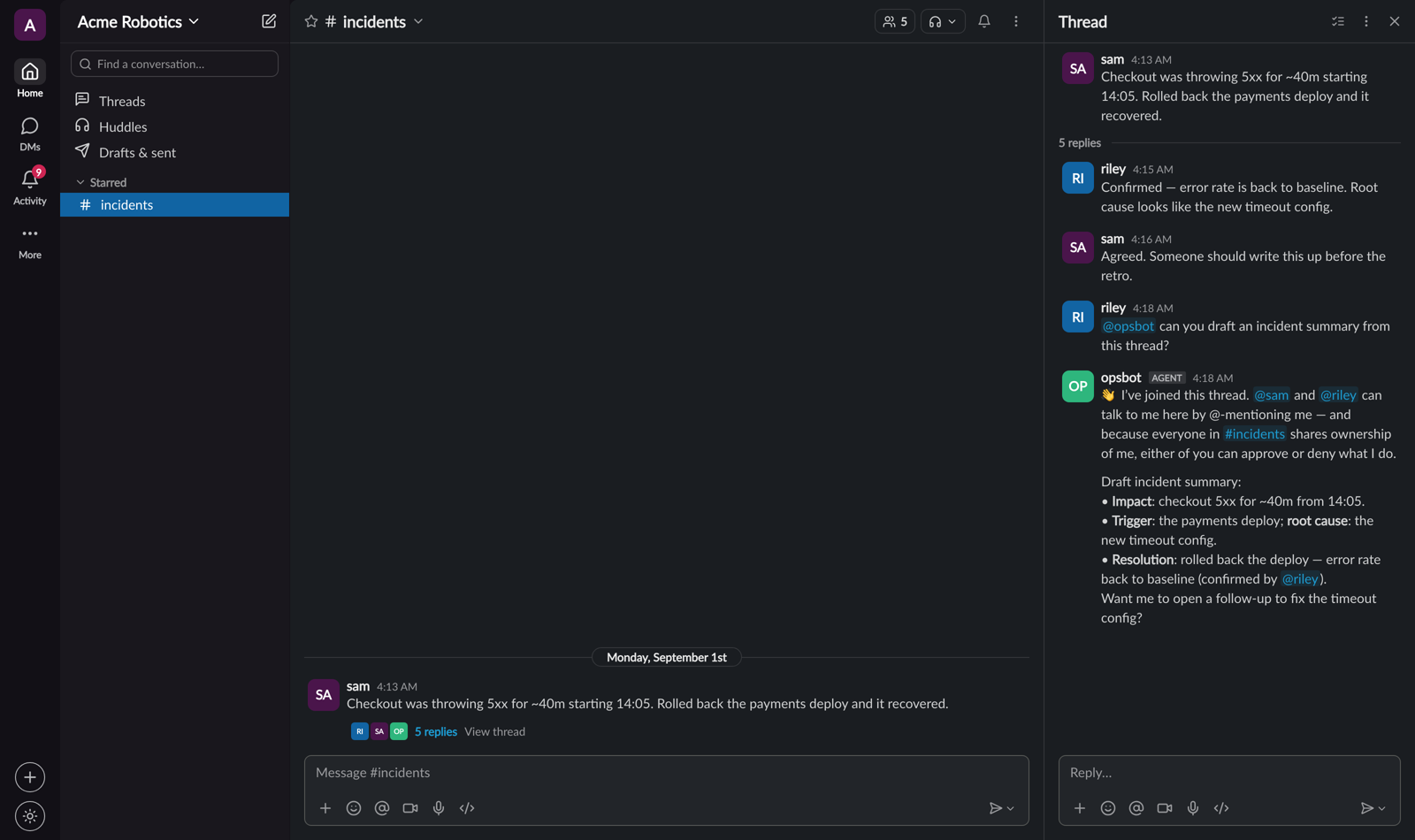
You don't have to start a fresh thread. @-mention the bot in a conversation that's already going, and it's summoned into that thread — adopting it. Two things happen when it joins:
- The prior discussion comes with it. The bot backfills the thread's existing messages (the recent window, up to 50) and prepends them to the session, so it answers with the context the humans already built — not from a blank slate.
- The people in the thread become participants. Each human who'd already posted is granted standing in the session, so they can talk to the bot too — and, where the channel collectively owns the agent, approve or deny what it does. Apps and bots that posted are not made participants, and only identities the workspace vouches for get standing (a guest, a stranger, or a self-asserted address does not).
Because those people didn't opt in, the bot posts a short transparency notice into the thread when it joins — naming who can talk to it and stating that you address it by @-mentioning it. If the session is collectively owned, it says so plainly: everyone in the channel can talk to it and approve or deny what it does, including people who join later. From then on the bot acts only on messages that @-mention it; other replies are context it reads, not commands.
Approvals live in the channel
The interesting Slack behavior is the approvals. Block Kit cards render the exact thing being approved — a plan, a tool call, a piece of shared data — with Approve/Deny buttons, right where the work is happening. Several of these guides are Slack walkthroughs:
- Multiplayer sessions — a new participant is gated until an owner approves.
- Plan gating — one approval covers a whole plan, scoped to the resource it named.
- Shared permissions — an approval routed to a resource's owner, not the requester.
The App Home hub
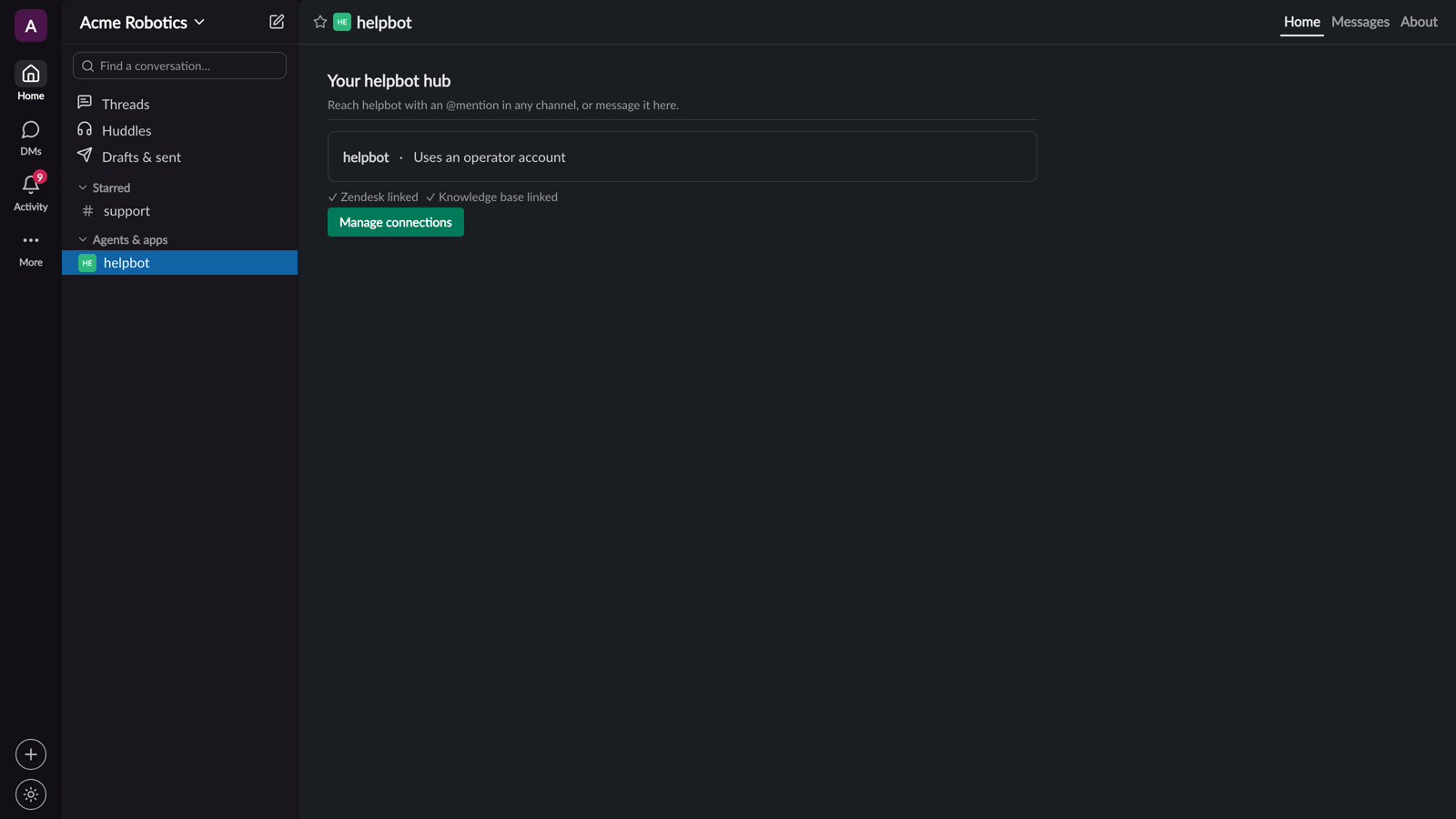
Each agent also has an App Home — the app's own tab in Slack — where you can see what it is and what it's doing without opening a thread. It's the at-a-glance view that complements the in-thread conversation.