Settings & tiered configuration
Not every knob belongs on every AgentClass. Budgets, tool-guard limits, content inspectors, and the like are settings that resolve through tiers — a cluster operator sets defaults and hard ceilings, and an individual agent narrows within them. It's how one team can hand out agents without handing out the ability to remove their own guardrails.
Defaults flow down; ceilings clamp up
Settings resolve from the cluster, through the namespace, down to the AgentClass — the most specific tier that sets a value wins. But there are two kinds of setting, and they compose differently:
- A default is a starting value a lower tier may override. Set a default token budget cluster-wide, and an agent can raise or lower it.
- A ceiling is a hard limit a lower tier may not exceed. Set a ceiling, and an agent can go stricter but never looser — it clamps whatever the class tries to loosen.
So a platform team pins the outer bounds once (the ceilings), ships sensible defaults, and lets each agent tune inside that envelope.
What's tiered
The tiered surface is the operational policy that shouldn't live per-agent: budgets, tool-guard breakers, rate limits, and data budgets, content inspectors, the default model, and requirements like "subagent digest pins are mandatory." An agent reads its effective settings — the resolved result of all tiers — so what actually applies is a single computed answer, not something you reconstruct by hand.
Setting them
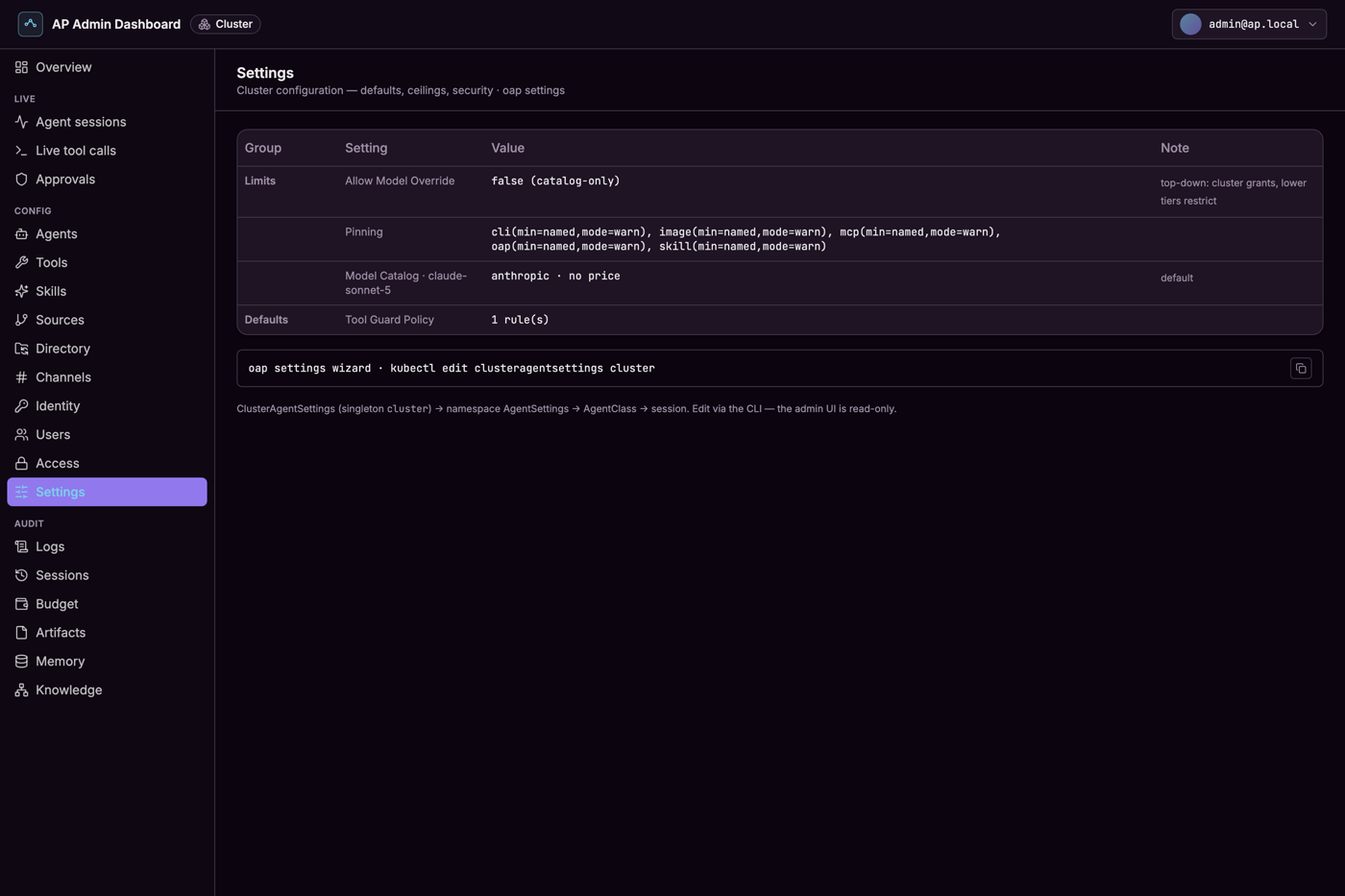
oap settings wizard walks you through the security-relevant defaults and ceilings interactively; oap settings apply applies a settings file. The result is recorded so you can see the effective policy an agent is running
under — including in the admin console, which shows the resolved value per setting:
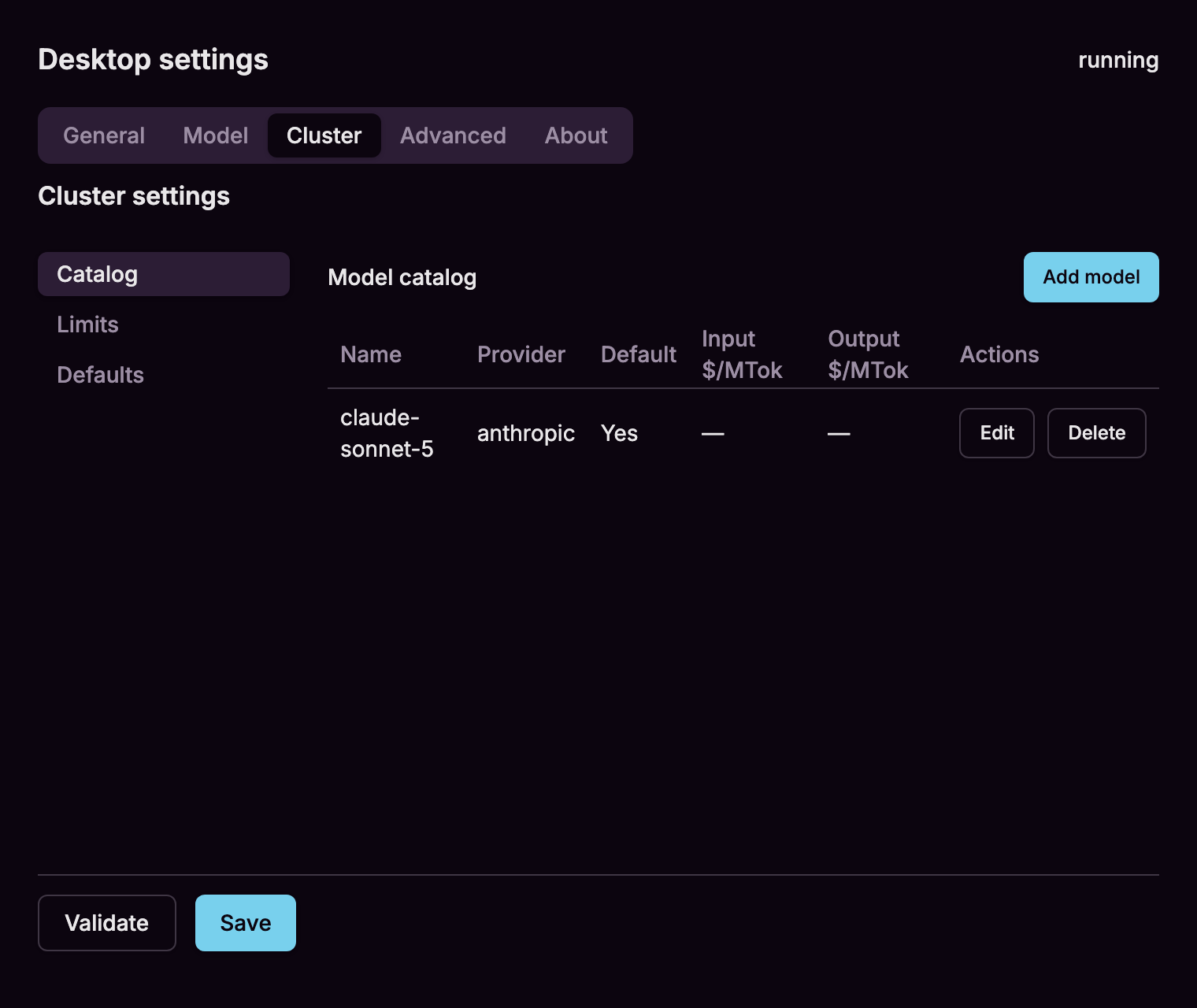
On the desktop app the same cluster settings are editable directly from the menubar's Settings… window. Its Cluster tab groups the model catalog, limits, and defaults into sub-tabs, validates a change against the live cluster before you save, and keeps the save controls pinned in reach as the forms grow: